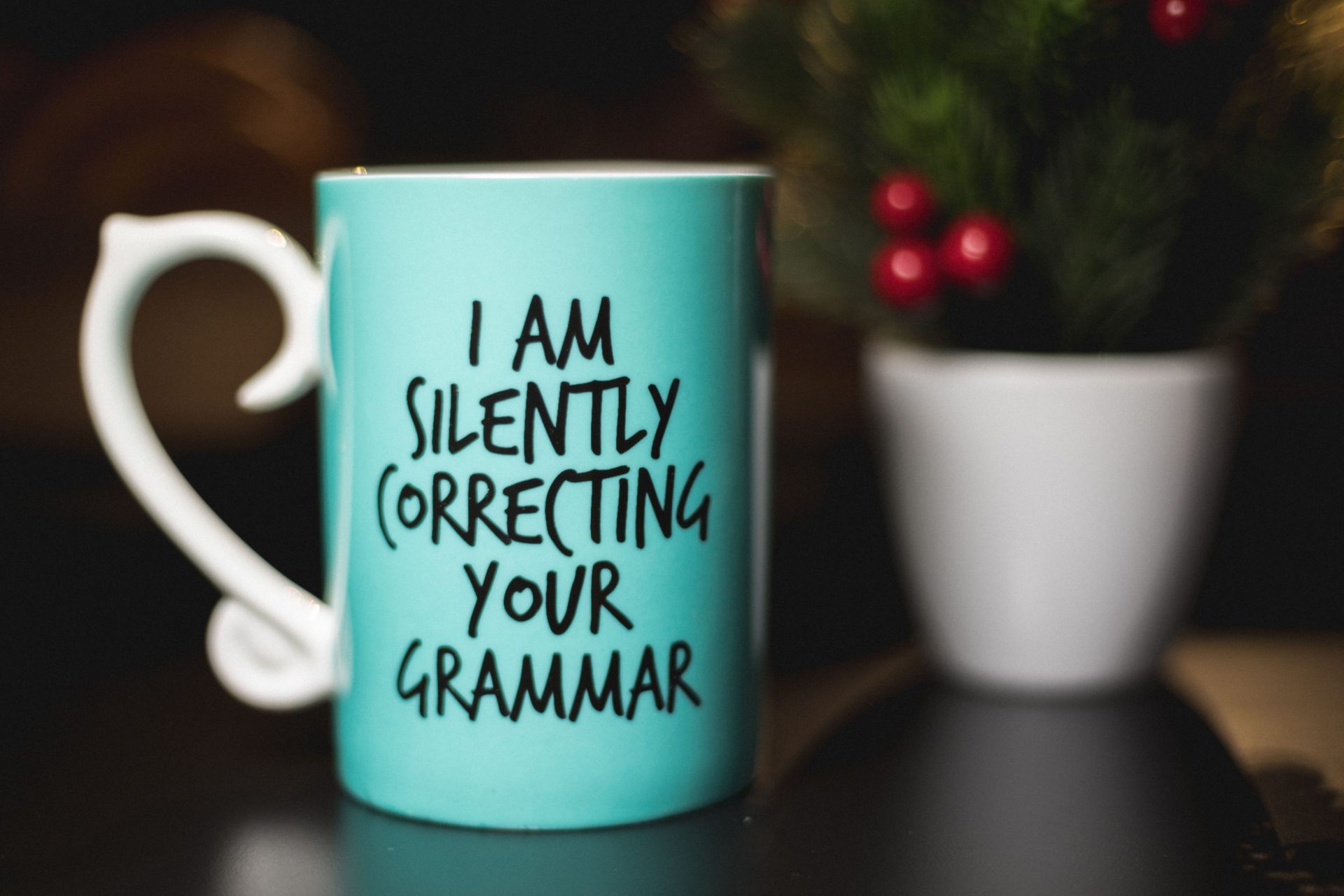
Grammarly – Worth the Hype?

Today’s dig­i­tal space has neces­si­tat­ed once more; the need to be skilled at writing. While the use of emoti­cons, hash­tags, and short-term abbre­vi­a­tions on social media might have seem­ing­ly killed the need for writ­ing good gram­mar, it remains an art you have to hone. A good write-up devoid of errors and mis­takes is an excel­lent way to stand-out in a world where pris­tine writ­ing seems to be the order of the day. If that be the case, you need a help­ing hand in proof­read­ing your arti­cles, blog posts, let­ters, or what­so­ev­er form of write-ups you have pre­pared. What bet­ter way to do so than through Gram­marly? This gram­mar and spelling check­er tool for what it’s worth can save you the embar­rass­ments of mak­ing write-ups rid­dled with unfor­giv­able typos and gram­mat­i­cal errors. While sev­er­al users jump at the free ver­sion, many oth­ers can’t decide on whether get­ting a paid ver­sion (Gram­marly Pre­mi­um) is the right choice for them. Let us take a look at some of the dif­fer­ences between both ver­sions.

Free Grammarly Vs. Grammarly Premium

The free ver­sion of the spell check­er tool con­tains gram­mar and spelling checks. It miss­es out on oth­er fea­tures like a pla­gia­rism detec­tor, an advanced gram­mar check­er, and some con­tex­tu­al gram­mar suggestions. How­ev­er, it is still pret­ty great, unlike some oth­er prod­ucts where the free ver­sion is infe­ri­or. Putting things in per­spec­tive, the free ver­sion is ide­al only for writ­ers who are work­ing on a lean budget. In con­trast to its free ver­sion, Gram­marly Pre­mi­um pro­vides detailed infor­ma­tion on your gram­mat­i­cal errors in a pop-up box posi­tioned at the right-hand of your screen. It also pro­vides some writ­ing insights and gram­mat­i­cal sug­ges­tions based on some set goals iden­ti­fied on its interface. With Gram­marly Pre­mi­um, you get gram­mar and spelling checks, vocab­u­lary enhance­ment; genre-spe­cif­ic writ­ing style checks; pla­gia­rism detec­tor; punc­tu­a­tion cor­rec­tions; con­tex­tu­al gram­mar checks, all in one pack­age. For the most part, it fix­es more errors and mis­takes than the free version. In the most recent past, Gram­marly rolled out a new install­ment referred to as Gram­marly Busi­ness Ver­sion. In addi­tion to the fea­tures con­tained in Gram­marly Pre­mi­um, the busi­ness ver­sion con­tains some addi­tion­al fea­tures like a cen­tral­ized billing sys­tem, 24/7 pri­or­i­ty email sup­port, user man­age­ment, and admin con­trols for secu­ri­ty and pri­va­cy of your team’s work, as well as, a mon­i­tor­ing tool for not­ing engage­ment trends. This ver­sion of the spell check­er tool costs about $15monthly for every mem­ber and is a viable alter­na­tive if you are a team. For obvi­ous rea­sons, our review will be cir­cling the pre­mi­um ver­sion. It has a myr­i­ad of advan­tages over the free ver­sion; hence, it is the rec­om­mend­ed ver­sion for writers. That said, there remains a beg­ging ques­tion need­ed to be answered – Why Gram­marly over all oth­er spell checkers.

Why Grammarly?

Gram­marly has been embraced by a lot of writ­ers for the out­stand­ing ben­e­fits it presents to its users. Because of these ben­e­fits, it has become more pre­ferred to most oth­er spell check­er tools. High­light­ed below are some of Grammarly’s pros.

1- Real-time grammar correction

That is, per­haps, the most impor­tant pro of Gram­marly. Its pre­mi­um ver­sion makes edit­ing and error check quite easy. Rather than draft out lengthy texts and run­ning your checks after that, you can spot your errors as soon as they are made. That might not seem such a great deal to so many con­sid­er­ing that you could still make the spell and gram­mar checks after­ward. How­ev­er, spot­ting these errors as soon as they are made and mak­ing ade­quate cor­rec­tions would pro­duce a clean­er final result. As a plus, it is an auto­mat­ic fea­ture. That is, you need not click a but­ton for Gram­marly to run its real-time checks.

2- Accuracy

This gram­mar soft­ware is way more accu­rate than most oth­ers in the mar­ket. In some cas­es, it could mis­con­strue what you are try­ing to say, place punc­tu­a­tion marks where they ought not to be or where you do not nec­es­sar­i­ly need them. How­ev­er, it has a high rate of accu­ra­cy in general.

3- Customization

Even in its free ver­sion, Gram­marly is quite cus­tomiz­able. Putting things in per­spec­tive, you can do as much as turn it off while run­ning cer­tain web­sites, select a pre­ferred lan­guage, or add new words you fre­quent­ly use to its dictionary. The lat­ter is par­tic­u­lar­ly inter­est­ing. If you have some words you fre­quent­ly use – for exam­ple, names of indi­vid­u­als, brand names, and abbre­vi­a­tions – you could add them to the dic­tio­nary, rather than those words been flagged incor­rect words by Gram­marly each time. If you choose to add a word to the dic­tio­nary, hov­er around it and click the “add to dic­tio­nary” but­ton in a pop-up box.

4- Ease of use

You do not have to be a pro­gram­mer or be par­tic­u­lar­ly excel­lent at using a com­put­er to have a good grasp of this gram­mar check­er soft­ware. In gen­er­al, it’s as sim­ple as installing the app, plu­g­in, or brows­er extension. Just like what obtains in Google Docs and Microsoft Word spellcheck fea­tures, Gram­marly under­lines the wrong words or gram­mar as the case may be, pro­vides you with the more cor­rect ver­sions, and goes a notch fur­ther by giv­ing you rea­sons why if you hov­er your cur­sor over it. It is ide­al for writ­ers who need brush­ing up in the gram­mar depart­ment but has prob­lems work­ing with more dif­fi­cult and com­pli­cat­ed software. Hav­ing men­tioned all of its many ben­e­fits, the soft­ware still has an out­stand­ing lim­i­ta­tion. Grammarly’s biggest lim­i­ta­tion is its inabil­i­ty to work with every­thing. Most notably is the fact that it doesn’t work with Google Docs. How­ev­er, the com­pa­ny seems to be work­ing on this lim­i­ta­tion with a beta update.

How Accurate Is Grammarly?

There is no ques­tion that when you click on a gram­mat­i­cal error, the spell and gram­mar check­er explains the error made. All you need do is click on the sug­ges­tion arrow to get an insight into what the prob­lem is. The soft­ware iden­ti­fies a cou­ple of mis­takes and, besides, explains the errors. In my review of the soft­ware, it helped me iden­ti­fy some errors like high­ly wordy sen­tences, use of incor­rect prepo­si­tions, mis­use of punc­tu­a­tion marks, spelling errors, overuse of pas­sive voice rather than active voice and a host of oth­er gram­mat­i­cal errors I might have over­looked dur­ing the time of writing. After repeat­ed use of the gram­mar check­er, I was able to iden­ti­fy my bad writ­ing habits, which includ­ed end­ing sen­tences with prepo­si­tions, writ­ing wordy sen­tences, and using most­ly pas­sive voice. Iden­ti­fy­ing these fine points of gram­mar and improv­ing on them has helped me get bet­ter at my writing. That is in con­trast with the built-in check­ers in Pages, Microsoft Word, and Scriven­er, which did not at any point in time sin­gle these out as bad writ­ing habits or things to be avoid­ed for a good write-up. In gen­er­al, it has made me bet­ter at writing!

Via What Platforms Can I Use Grammarly

Gram­marly offers a bunch of oth­er alter­na­tives oth­er than copy­ing and past­ing your blog post, e‑book or let­ter into a textbox to check for its gram­mat­i­cal cor­rect­ness. If this were so, it would eas­i­ly pass as the worst gram­mar check­er ever. The gram­mar check­er tool has a lot of oth­er con­ve­nient ways to use it. How­ev­er, you would need to be con­nect­ed to the inter­net to use it, as it is an inter­net-based tool.

Desktop app

You could check your arti­cle, blog posts, and oth­er writ­ing forms through a desk­top app, pro­vid­ed you use the Mac or Win­dows OS. Hav­ing down­loaded the app on a sys­tem by vis­it­ing the down­load page and fol­low­ing the list­ed instal­la­tion instruc­tions, the tool can then be used very much like its online ver­sion.

Microsoft Word

That is an enthralling way of using the Gram­marly tool. You could use a Gram­marly add-in togeth­er with your Microsoft Word appli­ca­tion. How­ev­er, this is only a pos­si­bil­i­ty if you are run­ning the Win­dows OS. To do this, vis­it the add-in page and fol­low the duly the instruc­tions giv­en to add it to your Microsoft Word appli­ca­tion. Once the plu­g­in is prop­er­ly added, it checks your writ­ing in real-time (that is, make cor­rec­tions on gram­mat­i­cal errors and mis­takes as soon as you make them).  That is an easy way to use the check­er tool. It is imper­a­tive to point out here that you need to be con­nect­ed to the inter­net while using the Microsoft Word package.

Browser Extension

That is one of the eas­i­est ways – if not eas­i­est – to use Gram­marly. You could browse for the gram­mar check­er tool in Google Chrome’s web store or fol­low the link to the exten­sion pro­vid­ed on the home­page of Grammarly. You can add the Gram­marly exten­sion to your Chrome brows­er as you would with any oth­er exten­sion, and it kicks into work almost immediately. This exten­sion works with Gmail and even Google Docs, as well as social media plat­forms like LinkedIn, Face­book, and Twitter.

Final Take!

Gram­marly com­petes favourably with sev­er­al oth­er com­peti­tors like ProWritin­gAid, WhiteSmoke, and Ginger. Although these alter­na­tives are cheap­er than Gram­marly and, in some cas­es, have addi­tion­al fea­tures, for exam­ple, Gin­ger, with its inbuilt lan­guage trans­la­tor and ProWritin­gAid with its more com­pre­hen­sive feed­back sys­tem. Still, none is eas­i­er and more intu­itive to use than Gram­marly. Indeed, it is more stream­lined, ele­gant, and func­tion­al than most of its oth­er competitors. That said, you can­not blind­ly trust Gram­marly, but should use the tool with a sense of what is cor­rect or isn’t. It isn’t out­right­ly per­fect and does­n’t work bet­ter than a human proof­read­er (FYI, you can even hire a human proof­read­er through Gram­marly). How­ev­er, it is the best gram­mar check­ing tool out there and a must-have for every writer.
Seize Your Life Today staff

A group of professional writers with more than ten years of experience as freelance writers in five different categories: - Kids & Parenting - Health & Fitness - Beauty & Fashion - Arabian Corner - Solid Tips

Recent Posts

Boosting Your Ecommerce Site: Why Exhibiting At Events Is So Good For Online Businesses

Do you run an ecommerce business? Then you already know just how accessible, innovative, and…

9 months ago

4 Tips to Supercharge Your Nutrition in 2026

As the new year rolls around, it’s time to start thinking about your goals for…

9 months ago

Beard Trimmers: Can You Take Them With You When You Fly?

Planning to travel and unsure if you can bring a beard trimmer on a plane?…

2 years ago

Best Baby Carrier for Back Pain: Comfort and Support for Parents on the Go

Carrying your baby shouldn't hurt your back. In this guide, we explore the best baby…

2 years ago

Unlock Your Musical Potential: The Benefits of Contemporary Music Courses with Michael Avery in Australia

Music lessons offer numerous benefits, from enhancing creativity and building confidence to providing a personalized…

2 years ago

How to Effectively Clear Blocked Downpipes

Blocked downpipes are a common issue for homeowners, particularly in Australia, where heavy rains can…

2 years ago